Save and recover territory map projects
Meaningful project edits autosave to IndexedDB in the current browser profile.
When to use this
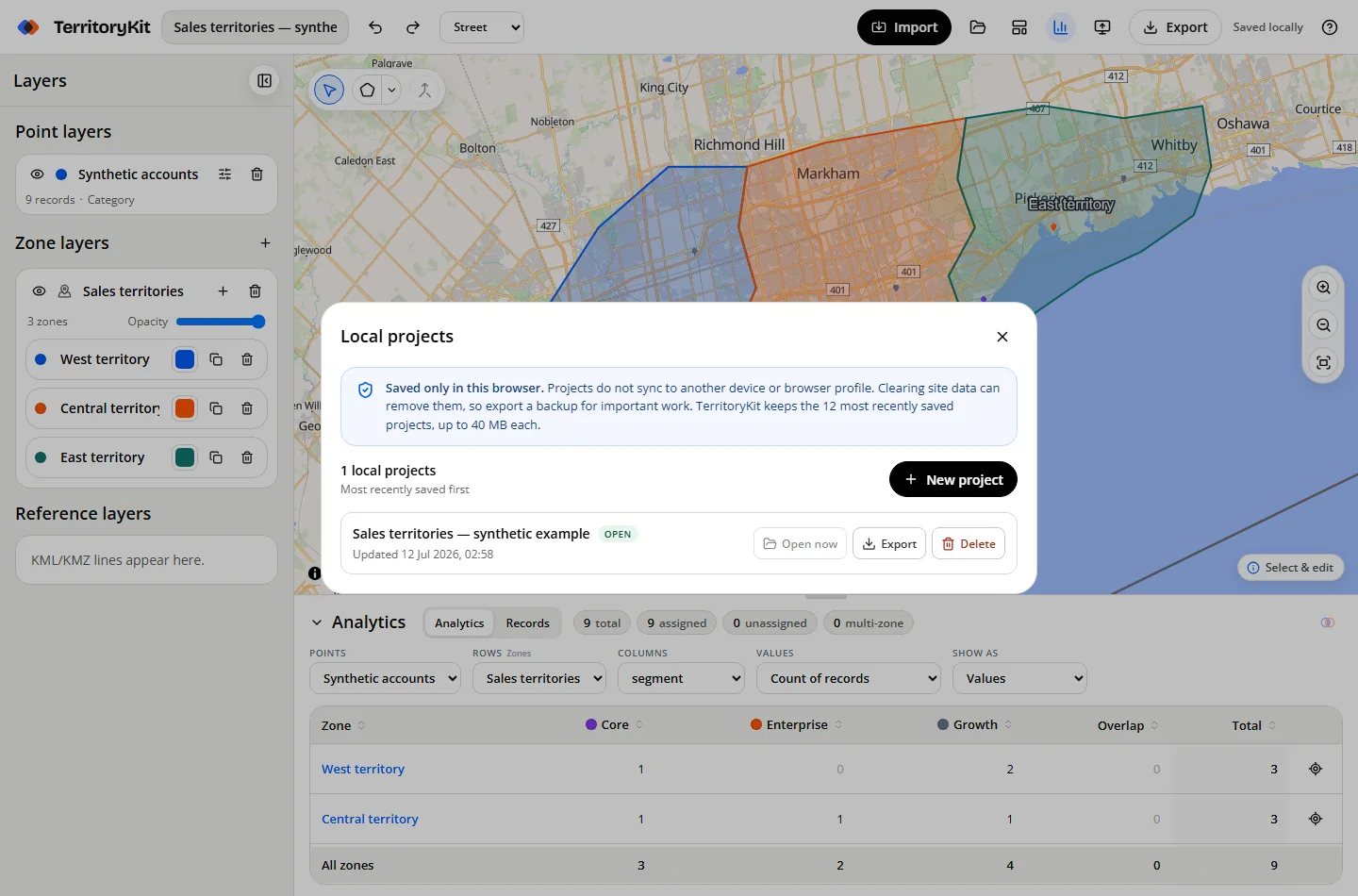
Use Local projects to return to recent work on the same browser, create another project, export a backup or permanently remove stored data.
Step-by-step workflow
Watch the save state
Saving… changes to Saved locally after edits are written to browser storage.
Return after refresh
TerritoryKit restores the most recent local project when the builder opens again on the same origin and browser profile.
Open Local projects
Choose the folder icon to list recently saved projects and their update times.
Back up important work
Export a portable project file before clearing site data, changing browsers or moving to another device.
Delete deliberately
Permanent delete requires confirmation and removes that local project from the current browser.
Supported formats and inputs
- Demo includes one owned map, ten exports total and 200 MB cloud storage. Pro includes unlimited maps and exports with 2 GB storage. Shared maps do not use your owned-map allowance.
- Each local project is limited to 40 MB of serialized project data.
- Portable .zonestudio.json backups include original uploaded coordinate data.
Tips and common mistakes
- Browser storage is device-, profile-, origin- and private-window-specific.
- Clearing site data or browser storage can remove autosaved projects.
- Use descriptive project names before the list grows.
Export and results
Local autosave is recovery convenience, not cloud backup. Export important projects and store those files securely.
FAQ
Does autosave sync across devices?
Local autosave stays in the current browser. To continue on another device, sign in with Google or an email code, choose Save map, and reopen it from your workspace home.
What happens after the twelfth project?
TerritoryKit does not impose a map count limit or automatically remove older maps. Browser storage capacity and per-transfer size safeguards still apply.
Can browser cleanup remove my maps?
Yes. Clearing this site's storage can delete local projects.
Related workflows
Build your first territory map
Bring your account list, draw the territories you need, and see the results as the map changes. Your first map is free.
Open Map Builder