Map service areas and coverage zones
Use TerritoryKit for service area mapping when you need to draw coverage zones, compare them with site locations, and export the results.
Who this is for
This workflow fits operations, field service, delivery, facilities, and support teams that need to define coverage areas and see which locations fall inside each area.
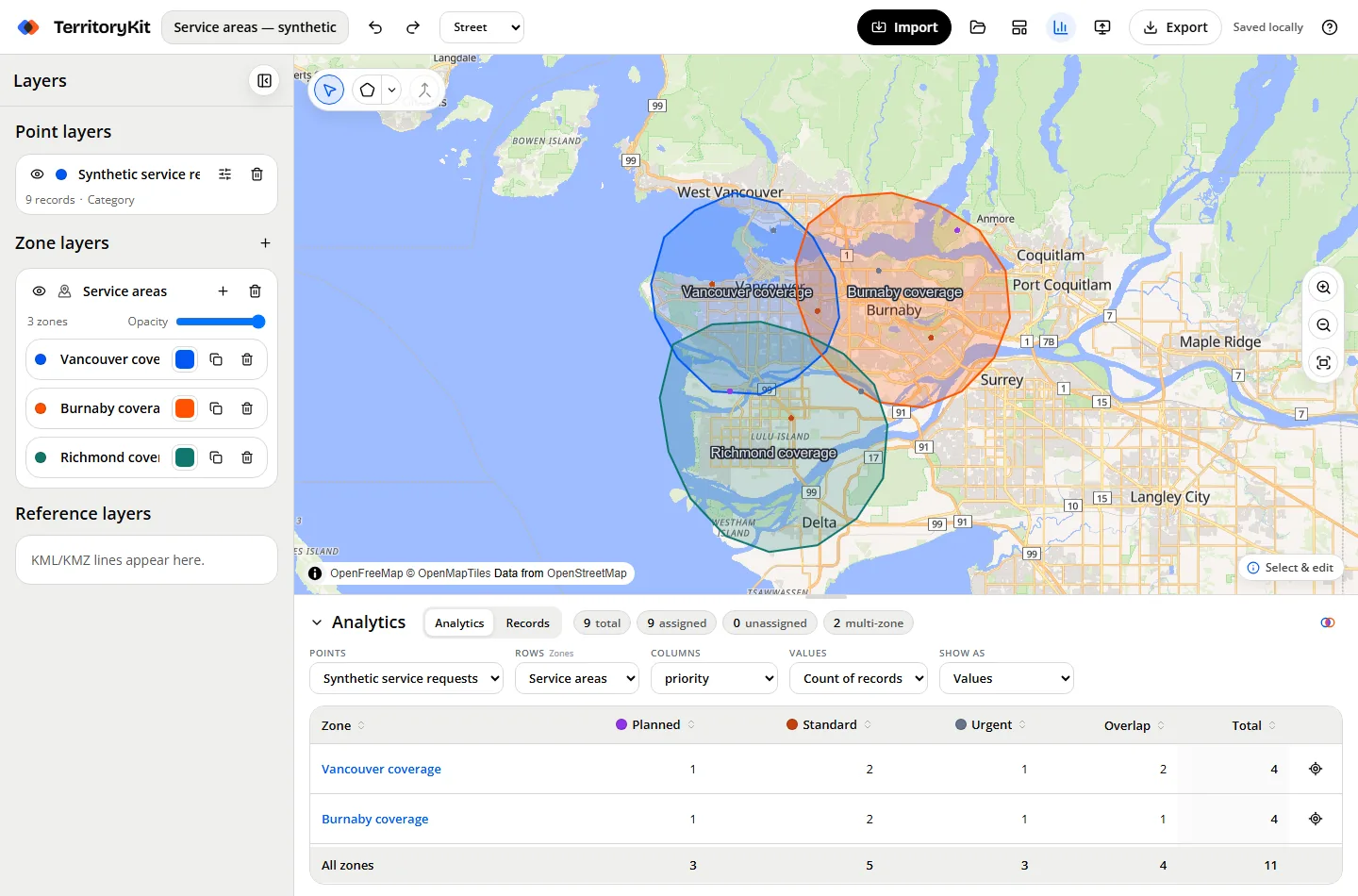
Step-by-step workflow
Import customer or site locations
Upload a CSV or Excel file with latitude and longitude columns for customers, assets, branches, stops, or service sites.
Draw service areas
Create polygon or circle coverage zones around teams, branches, neighborhoods, or operating areas.
Compare coverage and overlaps
Use analytics to find assigned locations, unassigned locations, and records covered by more than one service area.
Export service-zone results
Export metrics, point membership, zone geometry, or a project backup for later edits.
Supported inputs
- CSV, XLSX, or XLS location files with latitude and longitude columns.
- KML or KMZ files for existing service boundaries.
- Optional fields such as service tier, branch, technician team, status, asset type, or visit cadence.
Tips and common mistakes
- Confirm every spreadsheet point has valid latitude and longitude values.
- Remove empty rows before importing CSV or Excel files.
- Use readable headers so layer styling and group-by options are easier to understand.
- Check for points outside every zone before exporting results.
- If imported KML/KMZ boundaries do not appear, confirm the file contains supported geometry.
Export and results
Export metrics as CSV or Excel, point membership as CSV or Excel, zone geometry as GeoJSON or KML, and a portable project backup for later editing.
Current limitations
TerritoryKit does not calculate drive-time areas, route sequences, schedules, delivery ETAs, or automatic capacity balancing.
FAQ
Can I make a service area map without GIS software?
Yes. Import coordinate-ready locations, draw zones, and review analytics in the browser.
Can I find locations outside every service zone?
Yes. Analytics reports unassigned records for the selected point and zone layers.
Can I see overlapping service coverage?
Yes. Multi-zone records show where a location falls inside more than one zone.
Does TerritoryKit optimize routes?
No. It maps and analyzes zones, but it does not optimize routes or schedules.
Can I export service area boundaries?
Yes. Export zone geometry as KML or GeoJSON.
Related guides
Build your first territory map
Bring your coordinates, draw the zones you need, and see the results as the map changes.
Open Map Builder