Free territory map templates you can edit
A template is the fastest way to learn territory mapping, or to start a plan without a blank map. Everything on this page is free and uses synthetic data you can replace with your own.
Editable territory map templates
| Template | What's inside | Practice |
|---|---|---|
| Sales territories | West, Central and East territories around Toronto; nine synthetic accounts with a segment and an annual value | Counts per territory, segment breakdowns and the sum of annual value |
| Service areas | Three overlapping coverage areas in Metro Vancouver; nine synthetic service requests with priority and category | Finding requests covered by two teams |
| Blank styled zones | North, Central and South zones with shared, irregular borders around Denver; no data | Starting a styled map with your own locations |
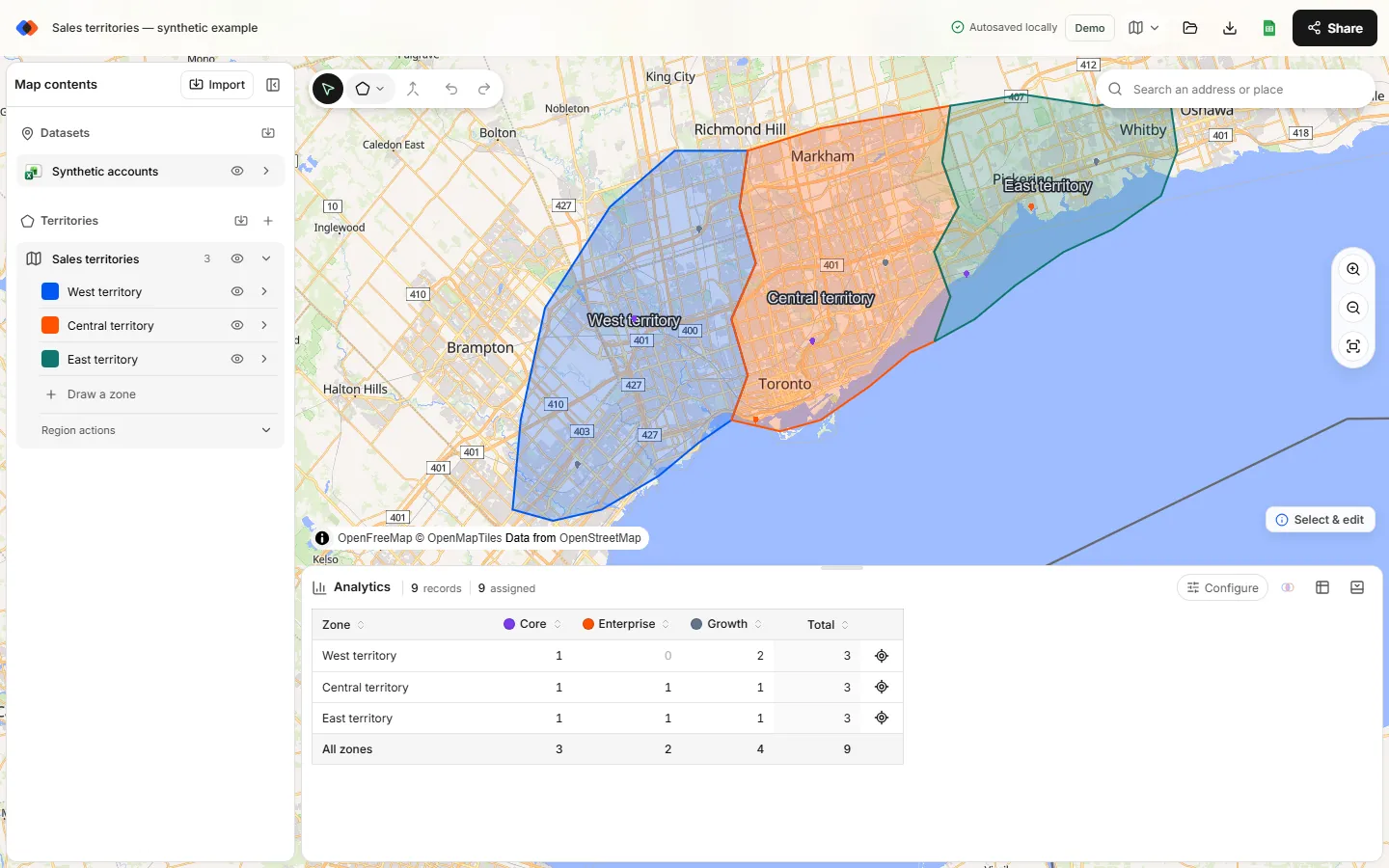
How to open a template
- Select a template link above. The map builder opens the Start with a template window, which lists all three starter projects.
- Choose Use template on the one you want, then Continue to confirm.
- The template opens as a private copy in your browser. Edit anything: your changes don't affect the original, and you don't need an account to explore.
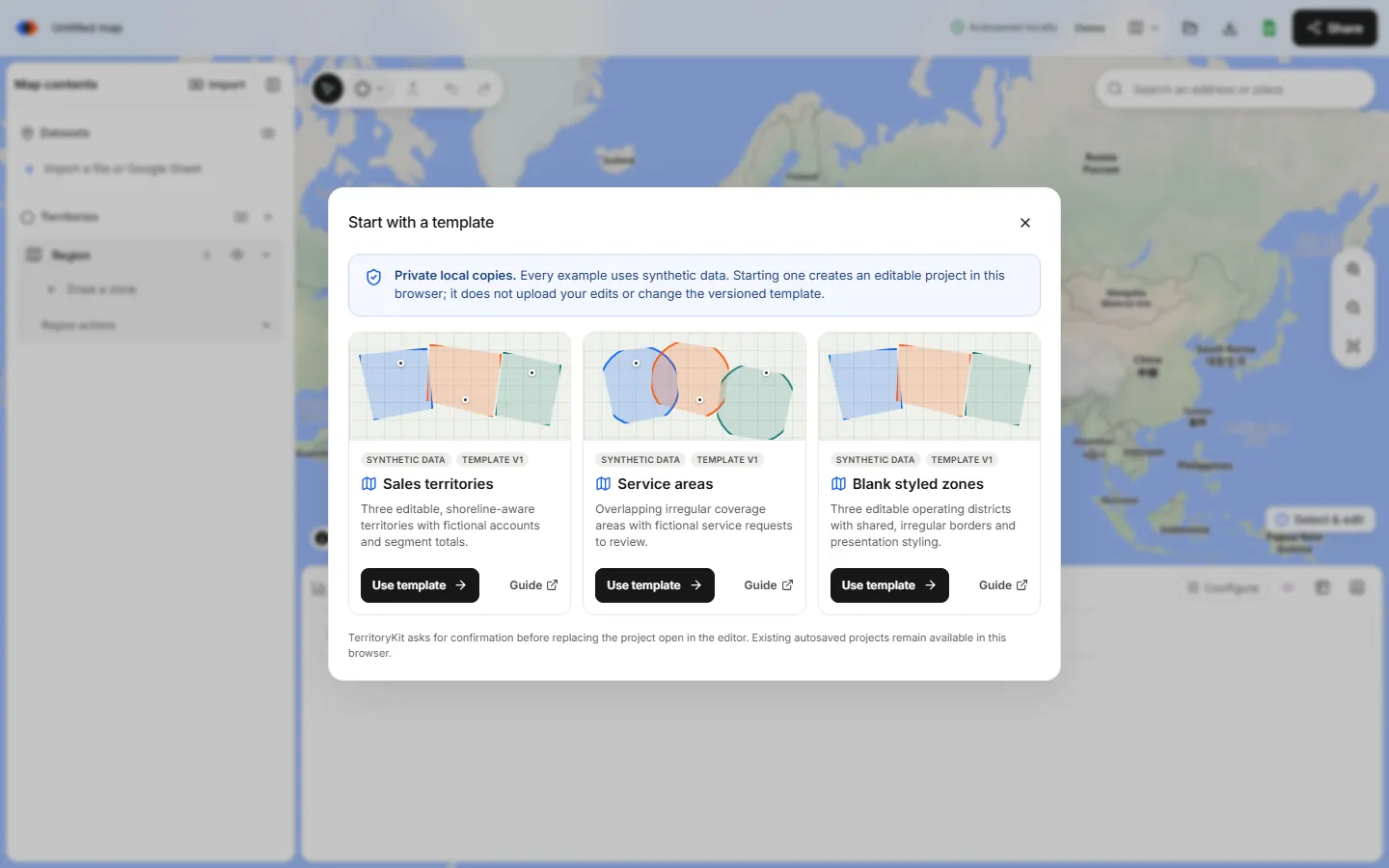
If the map open in the editor is empty, the template takes its place. If it already has data, the template opens as an additional map and your current map stays autosaved in this browser. The free plan keeps one map, so you may be asked to upgrade; opening templates from an empty map avoids that.
Sample data files
Use these synthetic files to practice importing, or as a layout for your own data.
| File | Contents | Used in |
|---|---|---|
| sample-sales-locations.xlsx · .csv | 10 Toronto locations with segment, status and priority | Sales territories from Excel |
| sales-territory-plan-template.xlsx | 28 accounts, territories, a live summary sheet and a change log | Sales territory plan template |
| sample-retail-locations.csv | 10 stores with format, status and region | Retail territory analysis |
| territorykit-sample-locations.csv | 10 New York City sites with segment and status | Map CSV latitude and longitude |
| sample-denver-zip-boundaries.kml | 22 Census ZIP Code Tabulation Areas in central Denver | ZIP code territory maps |
| sample-zip-code-accounts.csv · ZIP coordinates | 32 accounts with only a ZIP code, plus coordinates for each ZIP | ZIP code territory maps |
Customize a template
- Swap in your data. Import your own CSV, Excel file or Google Sheet, then delete the sample dataset from the layer panel.
- Reshape the territories. Use Select & edit to drag borders, Merge to combine and Line cut to split. See how to draw territories on a map.
- Rename and recolor. Click a territory's name to rename it, and its color swatch to change color and opacity.
- Retitle the map. In Export → Map image or print/PDF, set the title, subtitle, labels and legend used in exports.
- Keep alternatives side by side. Add a region for a proposed plan so you can compare it with the current one.
Which template should you start with?
- Planning sales coverage: start with Sales territories and the plan template workbook.
- Field service or delivery: start with Service areas to see how overlapping coverage is reported.
- Presentation map for your own data: start with Blank styled zones and import your locations.
- ZIP-based territories: import the Denver ZIP boundaries and merge them into territories.
FAQ
Are the territory map templates free?
Yes. The starter projects and sample files are free to open and download. The data is synthetic.
Can I edit a template?
Yes. Each template opens as a private copy you can reshape, rename, recolor and fill with your own data.
Is there a sales territory map template for Excel?
Yes. Download the sample Excel workbook or the sales territory plan template. The Excel template guide explains each column.
Do I need an account to use a template?
No. You can open and edit templates in your browser without signing in. A free Demo account adds cloud saving for one map and ten exports.
Can I save my edited template?
Edits autosave in your browser. Sign in to save the map to your account and open it on another device.
Related guides
Build your first territory map
Bring your account list, draw the territories you need, and see the results as the map changes. Your first map is free.
Open Map Builder