What is territory mapping? Definition, examples and uses
Territory mapping turns a list of locations into clear areas of responsibility. This guide defines it, shows what a territory map contains, walks through real-world examples, and explains how to build one from your own data.
Territory mapping, defined
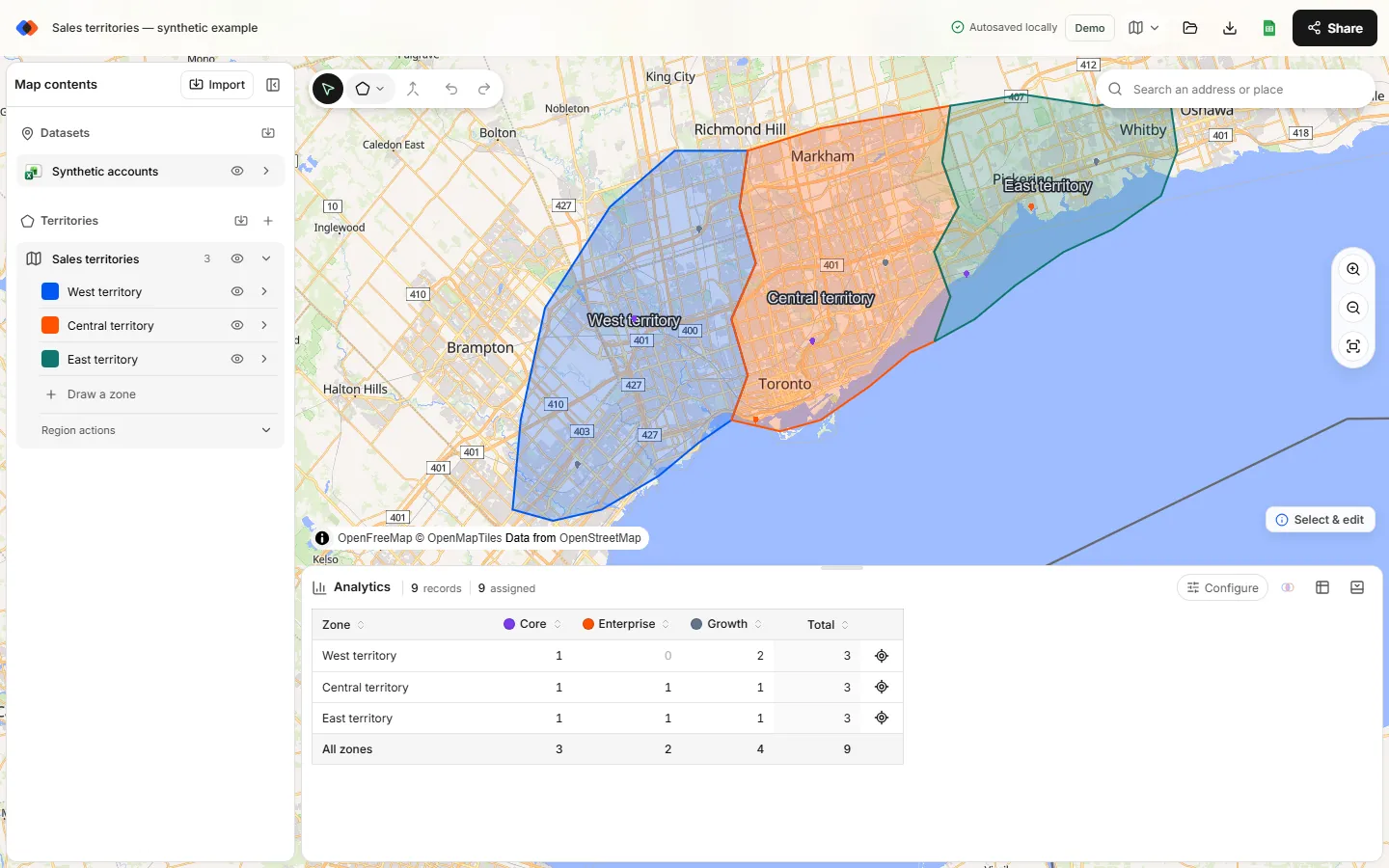
Territory mapping is the process of dividing a geographic area into named zones, called territories, and assigning locations such as customers, stores, service calls or assets to those zones. The result is a territory map: a map that shows each territory's boundary and the records inside it, so every location has a clear owner and every owner has a measurable workload.
Sales teams use territory maps to decide which representative covers which accounts. Operations teams use them to define service or delivery areas. Franchise systems use them to describe protected areas. The geography is different each time, but the questions are the same: who covers this place, how much is in each area, and where are the gaps?
What a territory map contains
- Boundaries. The polygon or circle that defines each territory. Boundaries can follow roads, rivers, postal areas, city limits or a simple radius.
- Locations. The points you are dividing up, usually imported from a spreadsheet with latitude and longitude.
- Assignments. Which territory each location falls inside. Most tools use a point-in-polygon test: a point inside the boundary belongs to that territory.
- Metrics. Counts and breakdowns per territory, such as accounts by segment or open jobs by status.
- Exceptions. Locations that fall in more than one territory (overlaps) or in none (unassigned).
How territory assignment works
Once boundaries and locations are on the same map, assignment is geometric. In TerritoryKit, a point inside a territory boundary belongs to that territory, and a point that sits exactly on a boundary also counts as inside. That rule has two consequences worth knowing:
- Overlapping territories double-count. If two territories overlap, a location in the shared area counts toward both totals. Adding up territory totals then overstates the number of unique locations. Sometimes overlap is intentional, such as shared coverage between two service teams; often it is a drawing mistake.
- Gaps leave records unassigned. A location outside every boundary has no owner. Unassigned records are usually the first thing to fix in a new plan.
Equal counts do not mean equal work. A territory with 40 small accounts can be lighter than one with 20 large ones. Good territory maps carry the attributes you need, such as segment, revenue band or visit frequency, so you can compare territories on more than a count. The territory balancing guide covers this in detail.
Common types of territory maps
| Type | Typical locations | Main question |
|---|---|---|
| Sales territories | Accounts, prospects, branches | Which rep owns which customers, and is the workload fair? |
| Service areas | Customers, sites, assets | Which team covers each location, and where are the gaps? |
| Delivery zones | Customer addresses, stores, depots | Which zone, fee or schedule applies to an order? |
| Franchise territories | Franchisee sites, prospects | Does each protected area stay clear of the others? |
| Retail trade areas | Stores, competitors, customers | How is coverage distributed across markets? |
| Program regions | Partners, survey sites, facilities | How are sites distributed across custom regions? |
Territory map examples
The fastest way to understand territory mapping is to open a finished example. TerritoryKit includes three synthetic starter projects you can edit in your browser:
- Sales territories: West, Central and East territories around Toronto with nine synthetic accounts, a segment breakdown and an annual value you can total per territory.
- Service areas: three overlapping coverage areas in Metro Vancouver with synthetic service requests, useful for practicing overlap review.
- Blank styled zones: three styled zones with shared borders around Denver and no data, ready for your own locations.
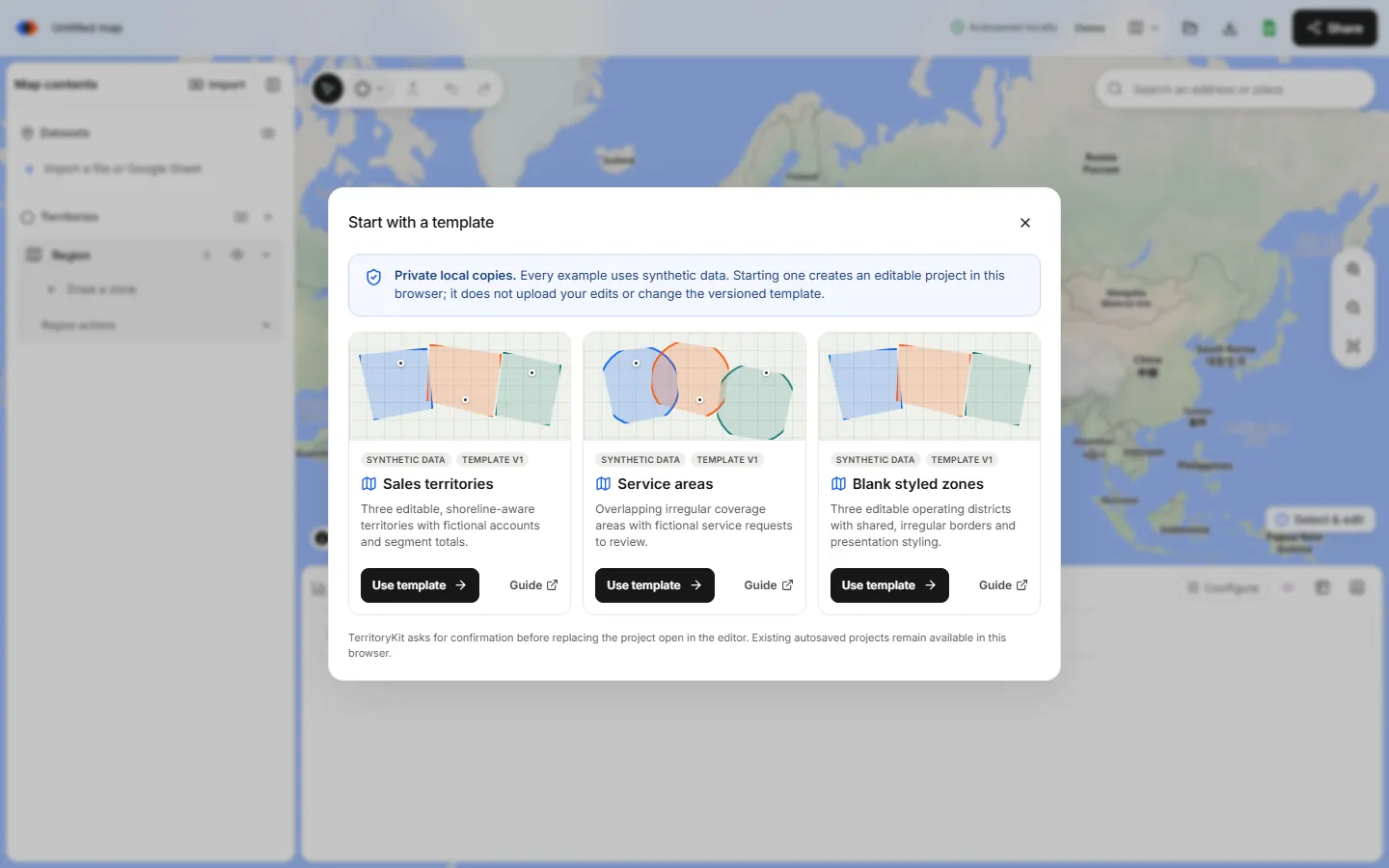
Each link opens the template picker. Choose Use template to create a private copy, so you can move boundaries and watch the counts change without affecting anything else. See the territory map templates guide for ways to adapt them.
How to make a territory map
- Prepare your locations. One row per location with latitude and longitude, plus the attributes you want to compare.
- Import them. Upload CSV or Excel, choose the coordinate columns and review rows the import could not place.
- Draw or import territories. Draw polygons or circles, or import boundaries from KML or KMZ.
- Review assignments. Check counts per territory, overlaps and unassigned records, and adjust boundaries.
- Share the result. Present the map, export an image or PDF, and export the assignment table for your spreadsheet or CRM.
The full walkthrough is in how to create a territory map.
Territory mapping vs related terms
- Territory planning is the broader business process of deciding coverage, goals and owners. Territory mapping is the geographic part of it. See the sales territory plan template.
- Territory alignment means adjusting boundaries so territories meet goals such as balanced workload. It is done on a territory map.
- Route planning sequences stops inside a territory. It needs a routing tool; a territory map defines where the routes happen.
- GIS (geographic information systems) is the general category of mapping software. Territory mapping tools focus on a smaller set of tasks so you don't need GIS training.
FAQ
What is a territory map?
A territory map shows named geographic zones and the locations assigned to each one, such as customers in sales territories or jobs in service areas.
What is territory mapping used for?
Assigning ownership of customers or areas, balancing workload, defining service or delivery coverage, describing franchise territories, and spotting gaps or overlaps in coverage.
Is territory mapping the same as route planning?
No. Territory mapping decides which area and records each person or team covers. Route planning decides the order of stops, usually within one territory.
Do I need GIS software to make a territory map?
No. Browser-based tools such as TerritoryKit cover importing locations, drawing territories, counting records and exporting results. See free territory mapping software for more options.
What data do I need for territory mapping?
A list of locations with latitude and longitude and any attributes you want to compare. Existing boundaries in KML or KMZ are optional; you can also draw territories by hand.
Related guides
Build your first territory map
Bring your account list, draw the territories you need, and see the results as the map changes. Your first map is free.
Open Map Builder